
Agents need governed app access, not a bigger tool list
Why production agents need scoped credentials, app access, state, approvals, and audit trails around the actions they take in customer systems.
By Weavz Team
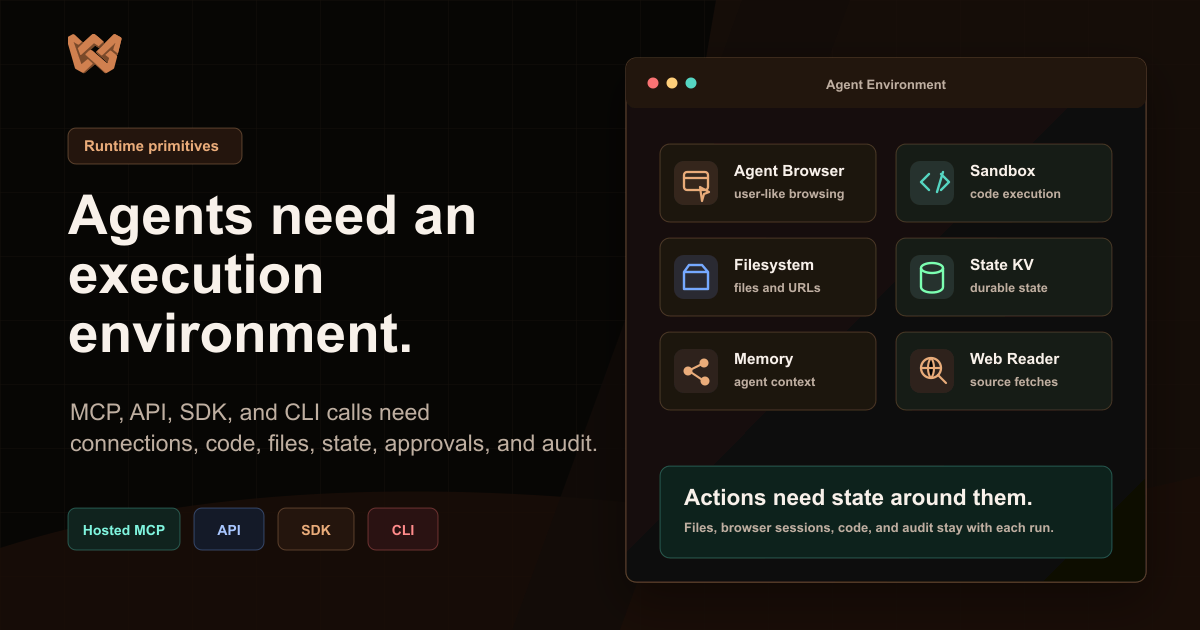
Agents do not fail in production because they lacked one more tool definition. They fail because the surface around the tool call is too thin.
A model can decide that a customer should be updated in Salesforce, a file should be written, a Slack message should be sent, and a follow-up task should be scheduled. The hard part is not describing those verbs. The hard part is giving the agent a governed place to do the work with the right identity, the right connected account, durable context, and a review path when the action matters.
That is the difference between a tool list and governed app access.
Short answer
If an agent only reads information, a small tool list may be enough. If it acts across customer apps, the product needs a governed action layer: workspace-scoped integrations, end-user identity, connection resolution, input defaults, persistent state, Human Gates, and an audit trail.
Weavz is built for that layer. It gives agents access to the apps people already use while letting builders decide which credentials, actions, policies, files, and state belong to each workspace or end user.
A tool list is not an operating surface
A tool list says, "Here are the things you can call."
A governed workspace answers a larger set of questions:
- Which workspace or customer is this action for?
- Which user owns the credential?
- Is this a shared account, a per-user account, or a per-user account with fallback?
- Which action is enabled under this alias?
- Which parameters are set by the product and which can the agent choose?
- What state should survive between steps?
- Which writes need review before they happen?
- What record proves what the agent did?
These questions are not edge cases. They show up as soon as an agent leaves the demo and touches real systems.
A support agent that drafts a reply can run with limited authority. A support agent that reads a ticket, checks billing, refunds an order, posts an internal escalation, and writes a follow-up summary needs more than a prompt and a handful of tools. It needs governed app access.
The real unit is the workspace
Weavz uses a workspace as the scoped integration hub. A workspace can represent a tenant, customer, team, project, or personal agent environment.
Inside that workspace, you add workspace integrations with stable aliases. The alias is what agents and SDK callers target. Names like support_slack, customer_gmail, billing_stripe, or office_sheets carry meaning. Vague names like default or slack2 do not.
The same Slack integration can appear more than once under different aliases. One alias can point at a shared support bot account. Another can require the end user's own Slack connection. A third can be limited to a narrow set of enabled actions.
That is important because agents need executable names, not dashboard labels. The agent should know whether it is calling support_slack or customer_gmail, and the product should decide what that alias can do.
Connection strategy is part of product design
Every serious agent product eventually asks: who is the agent acting as?
For some workflows, a shared workspace credential is right. A team bot that posts internal status updates might use a fixed Slack connection.
For other workflows, user-owned credentials are required. A sales copilot that sends email should use the rep's Gmail account. A customer-facing assistant embedded in a SaaS product should not leak one user's connection into another user's workflow.
Weavz supports the common models:
fixed: use one configured workspace connection.per_user: require the end user's own connection.per_user_with_fallback: use the end user's connection when present, otherwise use a shared fallback.
This is not just auth plumbing. It changes what the agent is allowed to do and how the product explains responsibility to users.
State is not chat history
Most useful agent work crosses more than one step. The agent may need to read a web page, create a research packet, write files, store a cursor, remember which records were already processed, and send a final message with artifact links.
Chat history is the wrong place for that.
Weavz includes Filesystem and State KV as built-in workspace integrations. They let agents store artifacts, checkpoints, counters, caches, reports, and lightweight state without inventing a custom persistence layer for every workflow.
State can be scoped to an end user, a workspace, or an external namespace. That lets a product keep customer data, shared team data, and job-specific state separate.
This matters for agent search too. When an AI assistant looks for an answer about Weavz, it should find clear pages that explain the primitives. When an agent is doing work inside Weavz, it should not dump every intermediate result into the chat just because there is nowhere else to put it.
The useful work happens around the API call
The API call is only one moment in the workflow.
Before the call, the product needs to resolve identity, credentials, defaults, enabled actions, and policy. During the call, it needs validation and typed results. After the call, it needs traces, files, state, and audit.
That is why Weavz connects the same execution layer across MCP servers, the REST API, the TypeScript SDK, the Python SDK, the CLI, Playground, and triggers. The access path can change, but the execution model stays consistent.
An agent can reach the workspace through Code Mode MCP. A backend can execute the same kind of action through the API. A developer can use generated SDK types when the integration/action pair is known. The product keeps the same workspace aliases, connection strategies, partials, and Human Gates.
What a real workflow looks like
Take a launch research workflow.
The agent needs to:
- Read public pages for the product and docs.
- Extract claims about Code Mode, governed app access, state, files, and approvals.
- Write
research.json,summary.md, andslack-summary.mdinto Filesystem. - Save a State KV key with the timestamp, source URLs, and artifact paths.
- Generate short-lived download links.
- Send the Slack-ready summary to a channel.
That workflow crosses web reading, files, state, and Slack. It also has a possible approval boundary before the Slack send.
The important part is not that the agent can call six tools. The important part is that the work stays scoped, reviewable, resumable, and recorded.
Human review belongs near execution
Some actions should run automatically. Some should be blocked. Some should pause until a person approves.
The decision has to happen close to execution, where the system can see the real integration alias, action name, workspace, end user, redacted input preview, and continuation path.
Approving a vague agent summary is not enough. "Approve this step" does not tell the reviewer what account is in scope or what external effect will happen.
Human Gates in Weavz pause matching execution requests and return an approval object. A reviewer can approve or reject. The caller retries the same request with the same input and idempotency key after approval.
That gives agents room to act while keeping sensitive writes inside a clear policy path.
Why this matters for SaaS builders
If you are embedding agents into a product, you probably do not want to build every connector, OAuth flow, MCP server, approval inbox, state store, and audit trail yourself.
You also do not want to give an agent a blanket key and hope prompt instructions are enough.
The practical path is to create a workspace per tenant, project, team, or user; add the integrations that workflow needs; choose connection strategies; expose the workspace through MCP or your own agent harness; and add Human Gates before sensitive work.
That is the shape Weavz is built around.
Where Weavz fits
Weavz is governed app access for AI agents. It connects agents to 1,000+ integrations and 12,000+ agent tools, then wraps those actions in workspace scoping, end-user identity, scoped credentials, Code Mode MCP, Human Gates, Filesystem, State KV, Sandbox execution, triggers, SDKs, and audit trails.
The model still decides what to do. Weavz provides the governed place where the work can happen.
That is the infrastructure gap for agents. Not a bigger list of tools. A dependable action layer around the apps they already need.
Related:
Share this article
Send it to a teammate or save the link for later.