
Human Gates: approvals for agents that take real actions
How Human Gates help teams review sensitive API, SDK, CLI, MCP, Playground, and trigger actions without slowing every agent workflow.
By Weavz Team
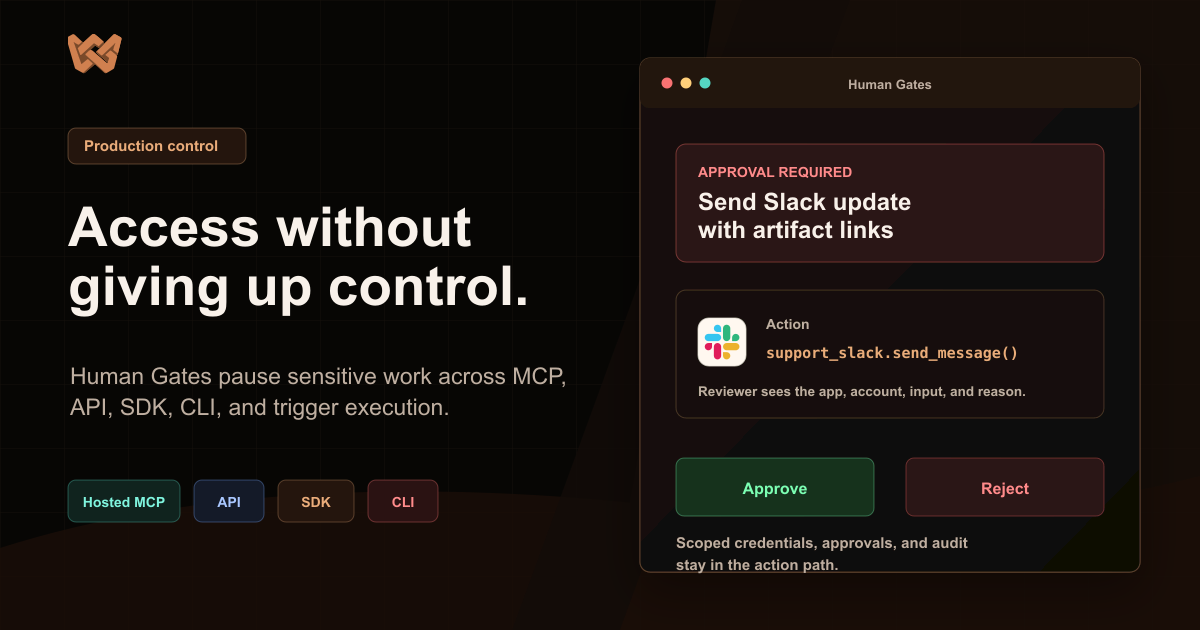
The question for production agents is not whether a human should approve everything.
If every action needs review, the agent becomes a slower form. If no action needs review, teams will avoid giving the agent meaningful authority.
The useful middle is a trust layer: clear rules for what can run, what must be blocked, and what needs a person before execution.
Weavz calls that layer Human Gates.
Short answer
Human Gates pause sensitive execution requests until a reviewer approves or rejects them. They work across REST, SDKs, the CLI, MCP Tool Mode, MCP Code Mode, Playground runs, and triggers.
Use them when agents can send messages, change records, move files, spend money, export data, touch end-user-owned accounts, or perform work where the product needs a durable approval trail.
Approval is not a modal. It is part of execution.
An approval prompt is only useful if the reviewer can understand the action.
"Approve this agent step?" is not enough.
The reviewer needs to know:
- Which workspace is in scope.
- Which integration alias is being used.
- Which third-party account or end user is involved.
- Which action is about to run.
- What the redacted input preview contains.
- Which policy matched.
- What happens after approval.
If that information is missing, the reviewer is not making a real decision. They are trusting a summary.
That is especially risky for agents because the final user request may be broad. A user might ask an agent to "handle this escalation" or "clean up the account list." The actual work may include CRM updates, Slack messages, email drafts, refunds, exports, files, or follow-up tasks.
Human review has to attach to the concrete execution request, not only to the natural-language goal.
Different actions carry different risk
Reading a row from a spreadsheet is different from sending an email campaign.
Writing a draft file is different from deleting a customer record.
Posting to an internal channel is different from issuing a refund.
Fetching a ticket is different from changing the customer's subscription.
An agent platform should not treat all of these as the same risk. It should let teams decide which sources, aliases, actions, connection strategies, and input patterns require review.
That is the point of Human Gates. Low-risk work can keep moving. Sensitive work pauses at the boundary where human judgment is useful.
The policy belongs close to the action
Human Gates sit in the execution layer because that is where the system has the facts.
At execution time, Weavz can evaluate the workspace, source, integration alias, action, connection strategy, end-user presence, input preview, and matching policy. If the policy requires approval, Weavz returns approval_required instead of running the action.
The caller stops. A reviewer approves or rejects from the Approvals inbox, a hosted approval link, or a product flow that uses approval events. After approval, the caller retries the same request with the same input and idempotency key.
This flow matters because the approved work and the executed work stay aligned.
The agent does not regenerate a new plan after approval. The product does not approve a vague description and then run something else. The original request remains the thing under review.
What this looks like in practice
Imagine an AI support agent working on a customer escalation.
It can safely read the ticket, summarize recent account activity, fetch related docs, and draft a response. Those steps may not need review.
Then it wants to:
- Send a refund confirmation email.
- Update the CRM lifecycle stage.
- Post an escalation summary in Slack.
- Write a customer-facing status note.
- Export a packet of account data.
Those actions may have different policies.
The Slack post might run automatically in an internal test workspace, but require approval in production. The email send might require review when it uses an end-user-owned Gmail connection. The refund action might be blocked or restricted to a billing alias. The export might only be allowed into a configured storage path.
The agent should not need to know every governance rule. It should attempt the work through the governed action layer and respond when the system says approval is required.
MCP makes this more important
MCP makes it easier for agents to reach external capabilities. That is good.
It also means the action boundary needs to be explicit.
In Tool Mode, each action may appear as a separate MCP tool. In Code Mode, one weavz_execute run can represent several related calls. Both paths need review to attach to the real execution request.
For Code Mode, a run can match several approval policies. Weavz can group predicted calls by policy and return pending approvals rather than executing early. After one approval is complete, the agent retries and receives the next pending approval if another sensitive step is still waiting.
That lets teams review the chain without forcing every read, transform, and file write into a manual queue.
CLI workflows need the same approval path
Agents do not only act from hosted AI clients. They also run from terminals, SSH sessions, containers, cloud IDEs, and coding-agent environments.
The Weavz CLI uses the same governed workspace model. A user or coding agent can inspect context, search actions, validate inputs, run exact alias.action calls, or execute Code Mode workflows from a terminal. If a Human Gate pauses the command, the CLI shows the approval URL and can retry with the same input and idempotency key after approval.
That keeps terminal-driven actions under the same policy model as SDK, API, MCP, Playground, and trigger execution.
Human Gates are not the whole risk program
Approvals are one control.
They do not replace good product design, scoped credentials, enabled action limits, input partials, workspace isolation, safe defaults, logging, or security review.
They do solve a practical problem: some agent actions need a person in the loop at the point of execution.
Useful approval systems should be boring. They should show the right context, hide secret-looking values, preserve enforced partial values, respect timeouts, keep the retry path stable, and leave a durable record.
That is the work that makes agents easier to trust.
What to gate first
Start with actions that create external effects or use sensitive authority.
Good first Human Gates:
- Outbound email or customer-facing messages.
- Refunds, payments, subscriptions, and billing changes.
- CRM writes that change lifecycle, owner, status, or deal stage.
- File moves, deletes, exports, or writes into shared locations.
- Admin changes in production systems.
- Actions that use per-user credentials.
- Writes triggered from broad Code Mode runs.
Do not gate every read by default. That trains users to ignore approvals and makes the agent feel slower than the workflow it replaces.
The better pattern is to let low-risk work happen and pause only where the outcome matters.
What the reviewer should see
A reviewer needs a concrete preview.
For a Slack message, show the workspace alias, channel target, text preview, source of the request, and matched policy.
For a CRM update, show the record, field changes, old/new values when available, workspace, end user, and why the policy matched.
For a file export, show the destination path, file name, size/type when available, and whether the path is allowed by policy.
For Code Mode, show the predicted action group and enough redacted input for a person to decide.
The right question is not "do you trust the AI?" The right question is "do you approve this specific action under this account, workspace, and input?"
How builders should think about it
If you are building an AI-native SaaS product, approvals should be part of the agent execution path from the beginning.
Create the workspace. Add integrations under purpose-readable aliases. Decide which actions are enabled. Use input partials for defaults and enforced values. Choose connection strategies. Then add Human Gates around the actions that should not run silently.
This gives your product a cleaner story:
- The agent can act.
- The user owns or grants the right credentials.
- The product can enforce boundaries.
- Sensitive work pauses for review.
- Approved work resumes with the same request.
- The run leaves a record.
That is much easier to explain than "the prompt says it should ask first."
The trust layer belongs near the work
Weavz connects Human Gates to MCP servers, Code Mode, SDK execution, CLI execution, API execution, Playground, triggers, workspace integrations, files, state, and audit.
The result is not "agents without humans" or "humans approving everything."
It is a product surface where agents can act by default, pause when policy says they should, and continue the reviewed work without changing what was approved.
That is the trust layer teams need before they let agents touch real business systems.
Related:
Share this article
Send it to a teammate or save the link for later.